Super Productivity Review: Best Free Todo App (2026)
Why Super Productivity
After 1.5 years of daily use, Super Productivity — also known as the superproductivity app — has become my only task management system. Not a todo-list, a complete productivity system. And it’s free.
Why It Wins
- Free & open source: no subscriptions, no limits
- Cross-platform: Linux, Windows, Mac, Android, web
- Simple to start, deep when you need it: hidden gems everywhere 💎
- Keyboard-first: fast for power users
- No vendor lock-in: export to JSON or CSV anytime
How I Use It Daily
I use it for development, research, and learning projects.
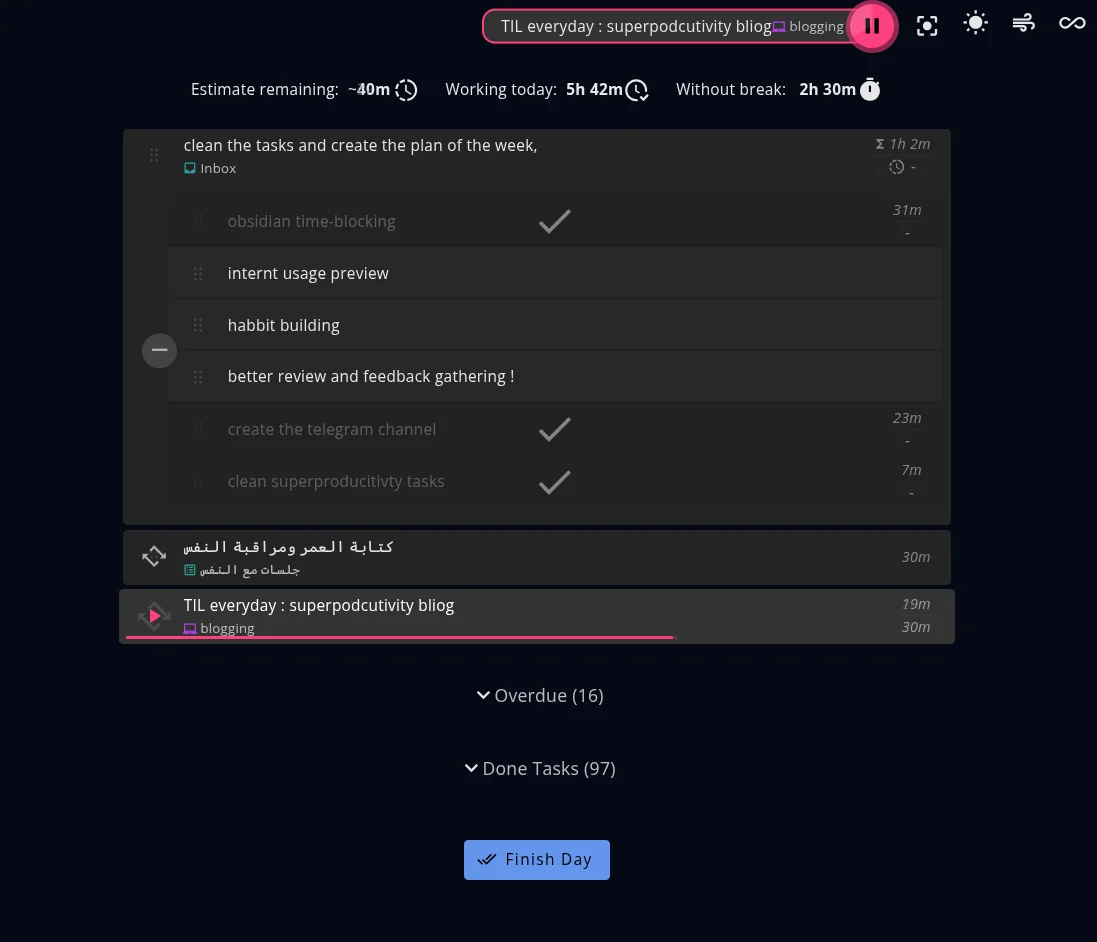
Here’s a snapshot of my today tasks:
- Parent tasks show total estimated time
- Subtasks track time individually
- Repeating tasks for daily habits
- Gamified “Finish Day” button celebrates your wins 🎉
Features I Love
1. Side Notes
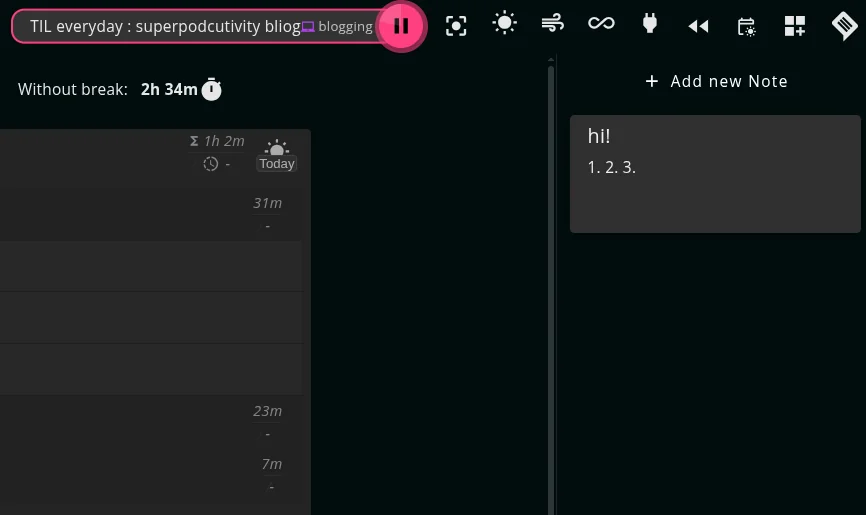
Each project has a notes section. I add my motivation and the end goal here. Seeing the “why” keeps me focused.
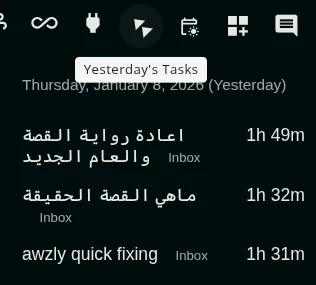
2. Yesterday Review
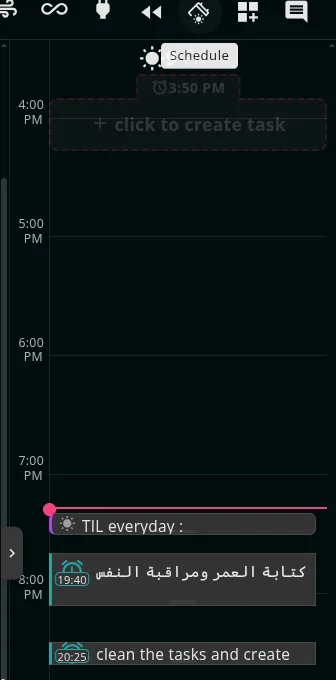
3. Schedule View
4. Focus Mode
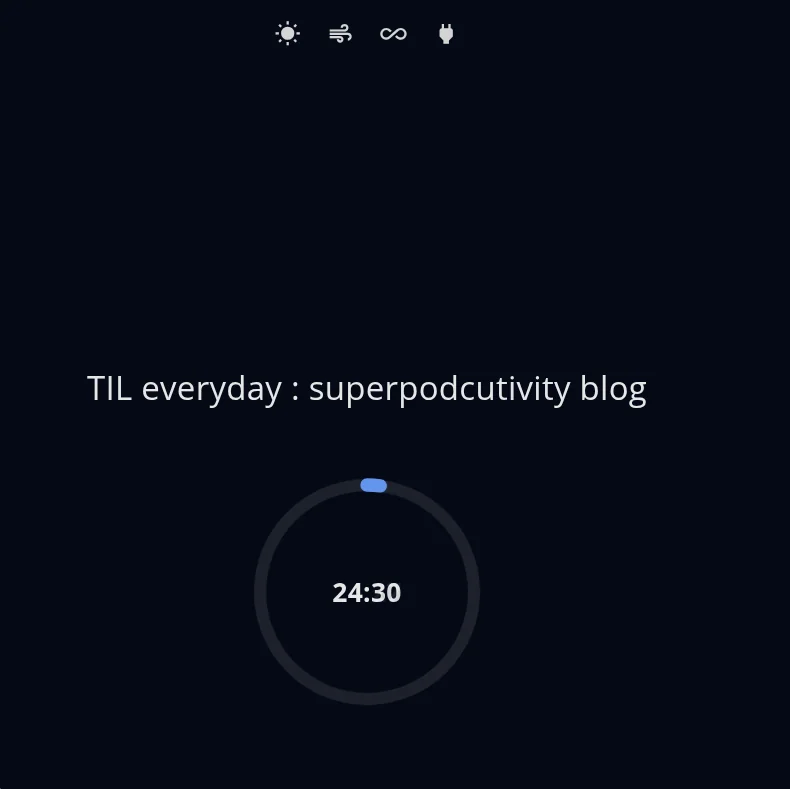
The 4 icons at the top track daily habits with one click.
5. Project Organization
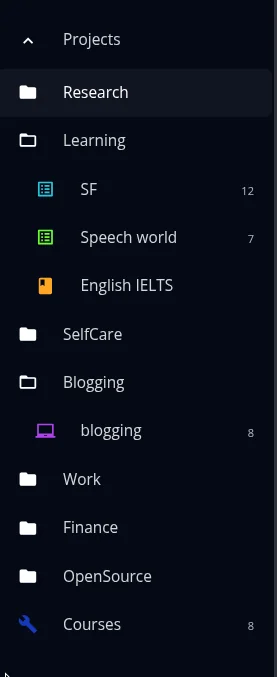
Folders → Projects → Tasks. Clean hierarchy for everything.
It also has tags but I don’t use tags
End of Day Flow
When you hit “Finish Day”, you get 3 steps:
Review: summary of what you did
Evaluate: rate your day
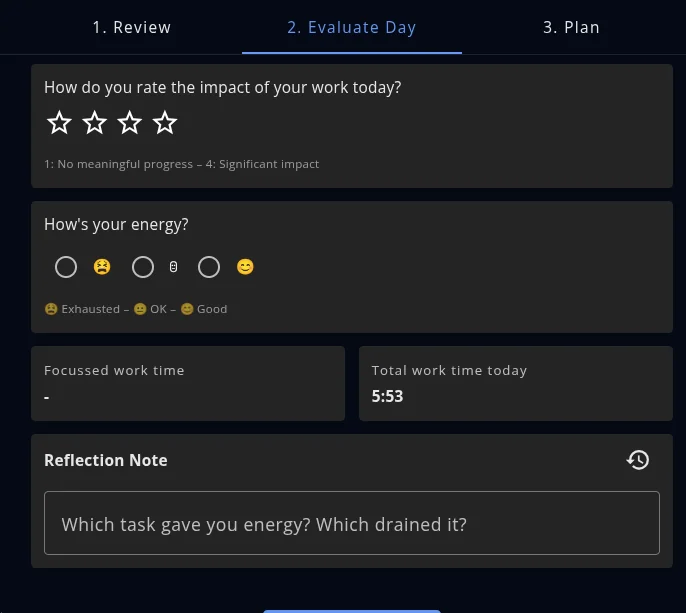
Plan Tomorrow: set up the next day
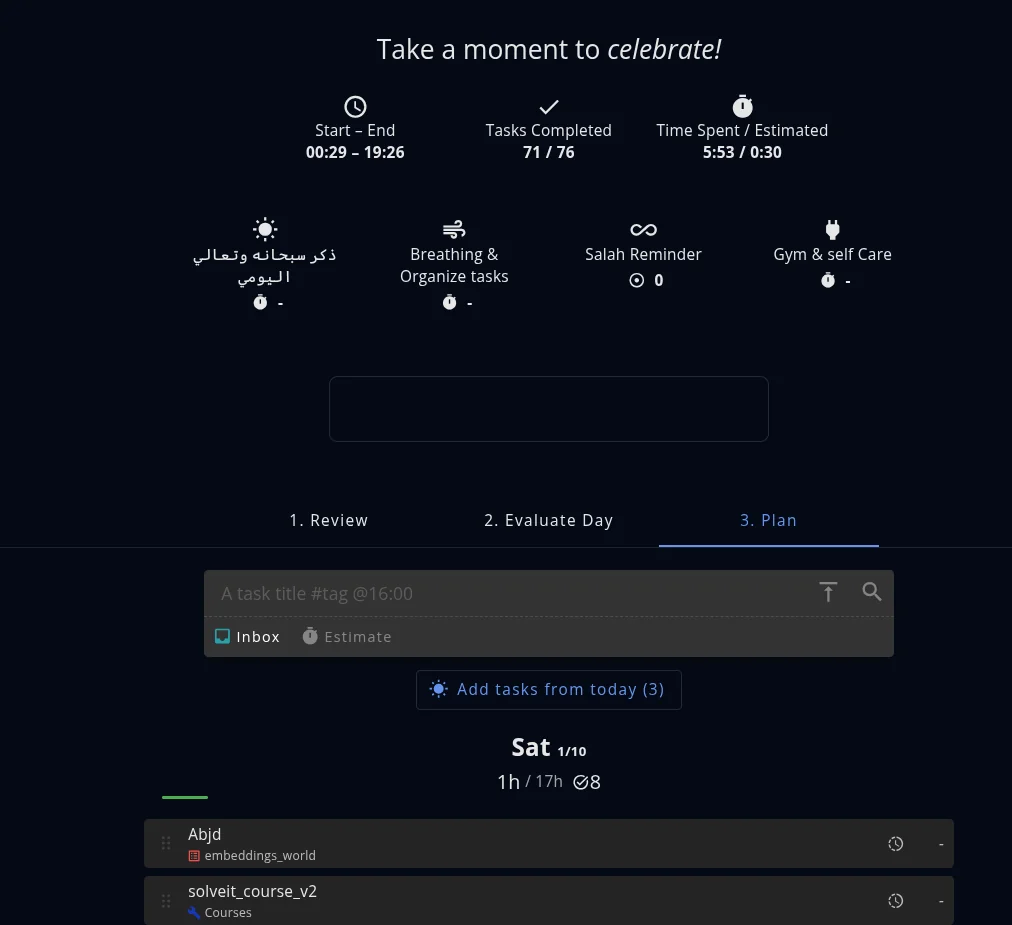
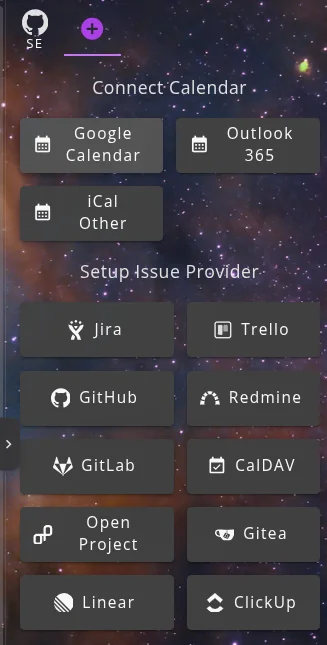
Also includes calendar integration,linear, github..etc!
Markdown Support
Task X #blogging 2h @workThis is converted into task X with tag blogging and 2 hours estimated in the Project Work very cool.
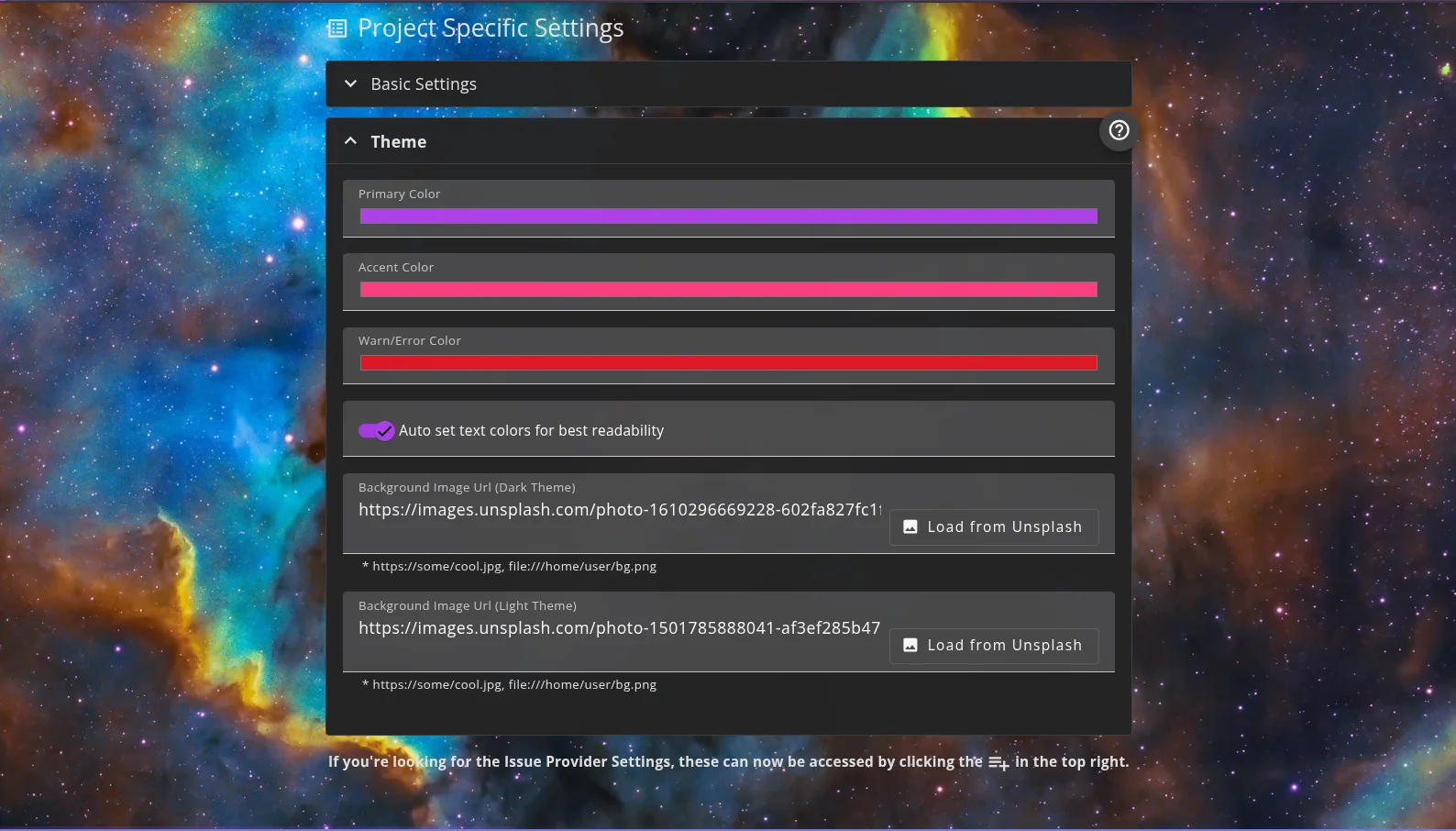
Custom Backgrounds
Super Productivity vs Todoist
I switched from Todoist after using it for about a year. Here’s the honest comparison:
| Feature | Super Productivity | Todoist |
|---|---|---|
| Price | Free (open source) | Free tier limited, $4-6/mo for full |
| Offline | ✅ Full offline | ❌ Limited |
| Time tracking | ✅ Built-in | ❌ Requires integration |
| Self-hosted sync | ✅ Yes | ❌ No |
| Mobile app | ✅ Good | ✅ Polished |
| Collaboration | ❌ Solo only | ✅ Team features |
| Gantt / timeline | ❌ No | ❌ No (paid add-on) |
Bottom line: if you work solo and care about time tracking, offline access, or don’t want a subscription — Super Productivity wins. Todoist is better if you need team collaboration or a more polished mobile experience.
Is Super Productivity Completely Free?
Yes. Completely free, no ads, no premium tier, no data collection. It’s fully open source (GitHub). You can use every single feature without paying anything — ever.
What I Don’t Like
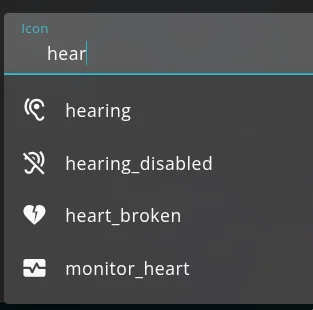
- Dated icons: the icons are old and search for specific one hard
- No Gantt chart: would help for longer projects
- Sync conflicts: when using two devices simultaneously, it asks which data to keep. Apps like TickTick handle this more smoothly. I wish there was smarter merging.
FAQ: Super Productivity
Is Super Productivity really free?
Yes. Completely free, no ads, no premium tier, no data collection. It’s fully open source (GitHub). You can use every single feature without paying anything — ever.
Does Super Productivity work offline?
Yes, Super Productivity works fully offline. All your data is stored locally. You can export to JSON or CSV anytime, and there is no vendor lock-in.
Can I sync Super Productivity across devices?
Yes, you can self-host sync via Dropbox, WebDAV, or local file sync. However, sync conflicts can occur when using two devices simultaneously. Apps like TickTick handle merging more smoothly.
Is Super Productivity better than Todoist?
If you work solo and care about time tracking, offline access, or don’t want a subscription — Super Productivity wins. Todoist is better if you need team collaboration or a more polished mobile experience.
Does Super Productivity have a mobile app?
Yes, Super Productivity has an Android app and a web version. The mobile experience is good, though not as polished as dedicated mobile-first apps like Todoist.
Final Thoughts
There are features I still haven’t explored. The developer responds quickly and respectfully to issues.
Remember this all in a free app without ads, data leakage,…etc!
Give it a try: super-productivity.com
More Resources
If you’re interested in more tool reviews or my journey in AI, check out these posts:
You can also explore my Research Papers or see my Open Source Projects.